Valve Index camera passthrough in SteamVR

While waiting for my Steam Frame to arrive, I’ve made sure the Valve Index cameras could be properly used for passthrough mode when running SteamVR on Linux.

So I’ve forked the now unmaintained Index Camera Passthrough project into to a revamped version and packaged it for Fedora in the Steam and Multimeda repositories.

# dnf install index-camera-passthrough

After installing the package (or the binary, if you’re not on Fedora), just run the command once and the camera passthrough overlay will appear and be registered with SteamVR for your user.

$ index-camera-passthrough

From that moment on, by pressing the two B buttons on the Knuckle controllers, you can bring up a real time feed from the Index cameras at roughly 1 meter from you.

The overlay starts up automatically when SteamVR starts, so from that moment on, in any game or VR space, you can just press the two B buttons to toggle the camera feed.

First startup per session takes roughly 3 seconds, but after the initialization, the camera frame appears instantly.

So for example you can start Half Life Alyx, look at the door of your room, fire up the camera and hen keep on playing. Whenever you want to look at who’s coming in, you can just turn your head and you will have a frame in a fixed position in your VR space exposing the real world without removing the headset.

I spent quite some time measuring distances with objects in front of the headset while capturing frames with FFMpeg straight from the camera devices, doing analysis and error correction for the depth perception; so for example your controllers will transition from being represented in VR to a real feed in the camera almost seamlessly; and you don’t need to cross your eyes or put everything into focus again.
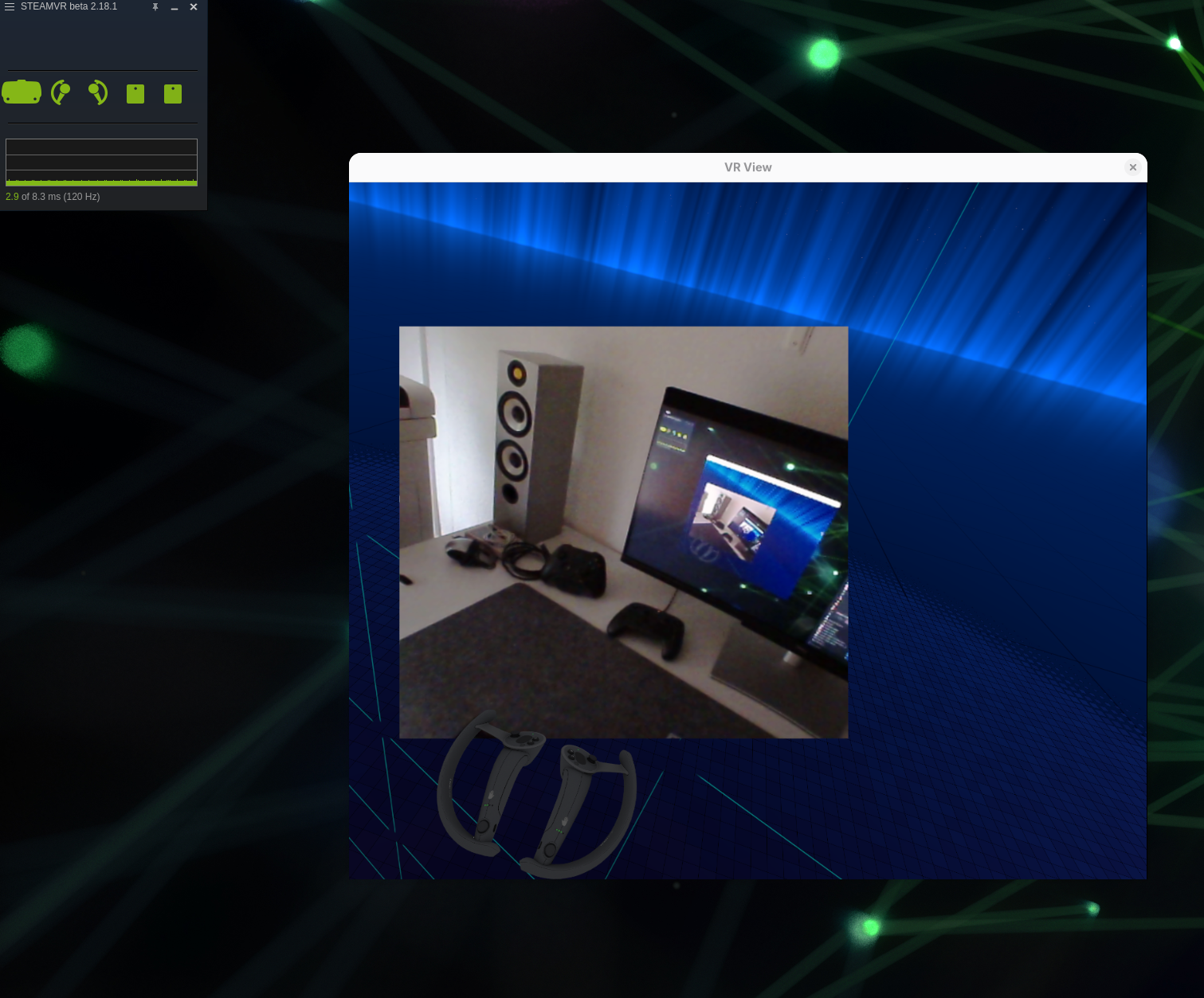
Basically you try to grab something in VR or in the camera feed and the position of the objects and the focus of your eyes match. As you can see from the picture, the rendered Knuckle controllers match with the camera feed, without refocusing your sight.

The camera resolution is very poor, so in the configuration file, there are options for creating a persistent window when you’re triggering the overlay, use a flat surface instead of the sum of the cameras with matching depth, etc.

Compared to the original software, this fork provides the following, in simple terms:

Proper depth for the Stereo window

  • When using both cameras, as you can see from the pictures, the depth is the same of your VR space, so no more crossing the eyes to look at the VR space or the out of context camera feed.
  • The depth estimation is now done in OpenCV.

Camera calibration is taken into consideration

  • The camera details for the headset, as saved by SteamVR, is used into calculations for depth perceptions and deformations. Hardware settings (they point about 4.4° outward and 1.5° down) but also the camera calibration settings are taken into consideration.
  • It has command line options to rectify and apply transformations on the command line from catpured camera frames on the fly.

Deformation compensation for flat feed

  • When creating a flat surface, from one of the cameras, with a higher resolution than the Stereo one, there is deformation compensation so the feed looks like it’s coming from the front of the headset and not from the position of one of the two cameras.
  • If you plan to leave a static frame in a fixed position in your VR space, I think the flat option is a better experience than the Stereo one.

Proper registration with a manifest in SteamVR

  • After the first manual start, the overlay is registered in SteamVR and is started automatically when you start SteamVR.

Binary is compiled with both OpenVR and OpenXR

  • You can use the same overlay in SteamVR or Monado (which is already packaged in Fedora). The OpenXR runtime in SteamVR lacks the XR_EXTX_overlay extension so the binary must be compiled with both backends. It defaults to openvr.
  • It also allows compilation by generating the headers from OpenVR for whatever version is available at the time of building, including the very latest releasaes.
  • All the image transformations are GPU bound
  • Make it possible to run the overaly on NVIDIA drivers and has fixes for AMD platforms as well.
Plex desktop and HTPC client

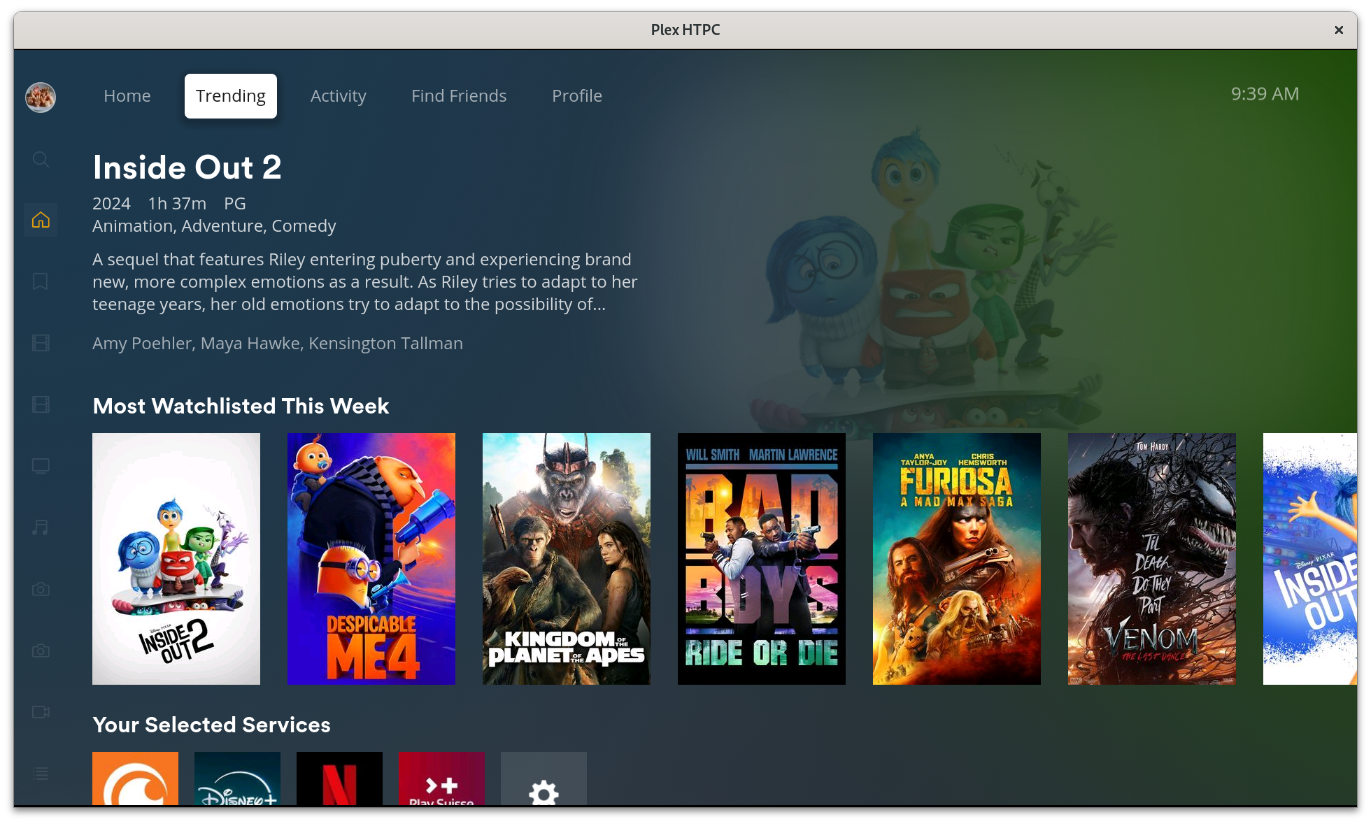
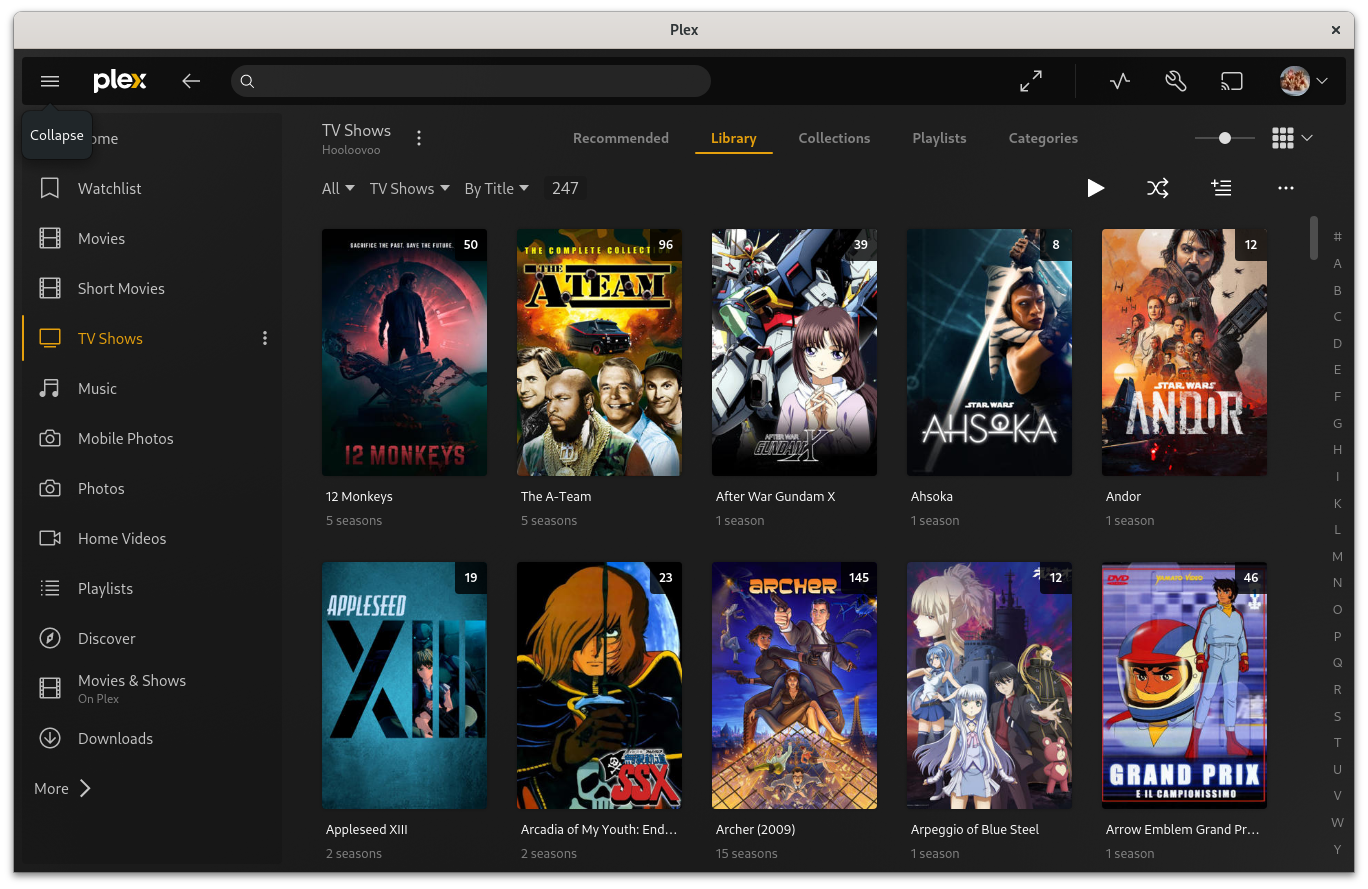
Plex Desktop and HTPC clients are available again. Now Plex ships a precompiled QT 6 libraries with the private API enabled that allows for an easy packaging. The packages are available for EL9+ and Fedora on the x86_64 architecture only.

Just install the one you need via DNF. For the desktop application:

# dnf -y install PlexDesktop

For the HTPC application:

# dnf -y install plexHTPC

The packages come with every possible system library in use and can be installed in parallel. They both suggest all the VA-API drivers available in the multimedia repository.

Keep in mind that both sport MPV as the main player, so you can still customize the player options as you see fit. For example to force NVIDIA’s hardware decoding in both applications:

$ cat .local/share/plex/mpv.conf
hwdec=nvdec

The HTPC optional package that creates an auto starting “HTPC session” for set top box media players is not restored yet, I will add it in the next days.

The packages bundle QT 6 (for the web interface engine) with the private API enabled, FFMPeg with a progress API status reporting, a custom MPV and a CEC library in the HTPC client.

Why not using the official Flatpak installation directly? First of all I don’t like all the mounting and folder redirection of Flatpak, but also:

# flatpak install tv.plex.PlexDesktop tv.plex.PlexHTPC
Looking for matches…
Required runtime for tv.plex.PlexHTPC/x86_64/stable (runtime/org.freedesktop.Platform/x86_64/23.08) found in remote flathub
Do you want to install it? [Y/n]: y

tv.plex.PlexHTPC permissions:
ipc network pulseaudio x11 devices dbus access [1]

[1] org.freedesktop.PowerManagement, org.freedesktop.ScreenSaver

tv.plex.PlexDesktop permissions:
ipc network pulseaudio x11 devices dbus access [1]

[1] org.freedesktop.ScreenSaver


ID Branch Op Remote Download
1. org.freedesktop.Platform.GL.default 23.08 i flathub < 172.2 MB
2. org.freedesktop.Platform.GL.default 23.08-extra i flathub < 172.2 MB
3. org.freedesktop.Platform.GL.nvidia-555-58-02 1.4 i flathub < 305.0 MB
4. org.freedesktop.Platform.Locale 23.08 i flathub < 360.2 MB (partial)
5. org.freedesktop.Platform.openh264 2.2.0 i flathub < 944.3 kB
6. org.freedesktop.Platform 23.08 i flathub < 227.5 MB
7. tv.plex.PlexHTPC stable i flathub < 150.9 MB
8. tv.plex.PlexDesktop stable i flathub < 149.2 MB

Proceed with these changes to the system installation? [Y/n]:

That’s a whopping 1.5 GiB compressed download compared to the package footprint:

$ ls -1hs Plex*
106M PlexDesktop-1.96.0.177-3.fc40.x86_64.rpm
105M PlexHTPC-1.64.0.170-2.fc40.x86_64.rpm

That’s more than 7 times the size. Flatpak applications with duplicate libraries everywhere are not really my taste.

HandBrake with NVENC support

After switching from libav to FFmpeg, the HandBrake developers quickly added NVENC encoder support to HandBrake. You can now select both NVENC for H.264/H.265 encoders in the drop down menu or with the command line interface:

$ HandBrakeCLI --help | grep -A12 "Select video encoder"
   -e, --encoder   Select video encoder:
                               x264
                               x264_10bit
                               nvenc_h264
                               x265
                               x265_10bit
                               x265_12bit
                               nvenc_h265
                               mpeg4
                               mpeg2
                               VP8
                               VP9
                               theora

With most GPUs I tried, even setting the slowest and costly preset results in the video engine not being fully utilized. Encoding times are cut to ~25%.

Awesome! No more ffmpeg command line black magic. You can now comfortably create your preset in the HandBrake gui and then use HandBrakeCLI through SSH on your awesome Plex Media Server. The build is available for both CentOS/RHEL 7 and Fedora.

Plex Media Player is back!

Just a small post to notify that Plex Media Player package is back. Now it does not require Conan or Python anymore for building, and you can just build it using standard tools, the dependency issues between the Plex binary packages have been resolved.

Also the TV interface is now improved, on par with what Plex currently offers for other platforms, and it’s much better in terms of performance. I also don’t get anymore the weird positioning of the PIN window.

You can still install plex-media-player-session and do the minimal configuration required (extracted from /usr/share/doc/plex-media-player/README.Fedora):

If you are planning to do an HTPC installation, and would like to have Plex Media Player starting instead of the login screen the moment you boot the
device, execute the following commands as root:

# dnf install plex-media-player-session
# systemctl set-default plex-media-player
# echo "allowed_users = anybody" >> /etc/X11/Xwrapper.config

The first command installs the required files (services, targets and PolicyKit overrides). The second command instructs the system to load by default the Plex Media Player target; that is X and the player just after. The third command allows the system to start the X server as the Plex Media Player user, otherwise only users logged in through a console or root can start it.

If you want to go back to your normal installation (let’s say Gnome), then revert back the changes:

# systemctl set-default graphical
# sed -i -e '/allowed_users = anybody/d' /etc/X11/Xwrapper.config
# rpm -e plex-media-player-session

The package is available for all supported Fedora releases.

Also, on a side note, HandBrake has been updated again to track the master branch, as it now uses FFMpeg 4 and no longer libAV 12. This could probably lead to other improvements, like NVENC/CUDA support, more formats, etc.

Big multimedia repository update (CUDA enablements, rebases, new software)

Merging of the Nvidia repository into Multimedia

The whole multimedia repository has been rebased with recent releases, and it now features FFmpeg 3.2 as the foundation. Most of the programs that suppport some Nvidia integration are now enabled and compiled with support for CUDA/NVENC/CUVID; leveraging the previous reorganization of CUDA 8 in the various subpackages.

This means that all the Nvidia packages are now included in the repository as well, so if you have an Nvidia card and you are interested in both repositories, you can just have the multimedia repository enabled. If you still just want the Nvidia stuff (as enabled in Fedora 25) then it’s still available as a separate repository; and that will not change.

Why all of this? Because I can’t keep them separated anymore. The Nvidia repository can exist on its own, but the multimedia one can’t, due to the dependencies and the constant rebases (also of main Fedora and CentOS/RHEL packages). You can use the Nvidia repository alone, if you just need that, or use the multimedia one if you need everything else.

The repository is now exposed also at this URL, and contains Delta RPM support:

https://negativo17.org/repos/multimedia

All repository files and configurations have been updated, so this means that in the future this would be the place where the metadata and repository information will be placed and any new installation will get the repository from there. If you are reading this blog post, you can switch now. I will add a negativo17-release package soon, along with a few mirrors; I’m sorting out the details now with the mirror owners.

FFmpeg and other CUDA enablements

To make proper use of the Nvidia hardware encode features (NVENC/CUVID) and CUDA kernel support (i.e. Blender GPU rendering) in the various programs you need the Nvidia driver installed (nvidia-driver-cuda), and for Nvidia Performance Primitives you require the CUDA driver and the NPP library package (cuda-npp).

This means that for most people NOT requiring CUDA support or not using an Nvidia video card, the following 2 packages will be installed anyway:

$ ls -alghs nvidia-driver-cuda-libs*.rpm cuda-npp*.rpm 
92M -rw-r--r-T. 1 mock 92M Nov 16 12:35 cuda-npp-8.0.44-6.fc25.x86_64.rpm
22M -rw-r--r-T. 1 mock 22M Nov 19 15:00 nvidia-driver-cuda-libs-375.20-1.fc25.x86_64.rpm

Both packages contain just libraries, and they will be on your system as much as other libraries for multimedia codecs you don’t actually need. Example, with most multimedia programs you will get Xvid libraries for opening Xvid files, even though the format is pretty much abandoned. Having them installed does not enable any unwanted feature in your system. Also, NPP libraries should decrease 50% in size in one of the next CUDA updates, being the monolithic version of the library being deprecated in favor of split functionality.

There are some patches being evaluated to make those libraries loadable at runtime, but they have not been merged yet and there’s no guarantee that they ever will. Also, they are available for FFmpeg but not for all the other programs where support has been enabled for; so depending on your installation, you might get them anyway.

As of today, from the Multimedia repository the following programs have been enabled with some Nvidia hardware enablement:

  • MPV (video decoding through CUVID)
  • FFmpeg (encoding through NVENC, decoding through CUVID and filtering through CUDA NPP)
  • Avidemux (encoding, through NVENC)
  • GStreamer (NVENC plugin)
  • Blender (GPU rendering)

VDPAU for decoding was already enabled where possible.
Of course anything that is using FFmpeg (like the GStreamer plugins) could theoretically benefit from the same enablements as in FFMpeg:

$ for i in encoders decoders filters; do
    echo $i:; ffmpeg -hide_banner -${i} | egrep -i "npp|cuvid|nvenc|cuda"
done
encoders:
 V..... h264_nvenc           NVIDIA NVENC H.264 encoder (codec h264)
 V..... nvenc                NVIDIA NVENC H.264 encoder (codec h264)
 V..... nvenc_h264           NVIDIA NVENC H.264 encoder (codec h264)
 V..... nvenc_hevc           NVIDIA NVENC hevc encoder (codec hevc)
 V..... hevc_nvenc           NVIDIA NVENC hevc encoder (codec hevc)
decoders:
 V..... h263_cuvid           Nvidia CUVID H263 decoder (codec h263)
 V..... h264_cuvid           Nvidia CUVID H264 decoder (codec h264)
 V..... hevc_cuvid           Nvidia CUVID HEVC decoder (codec hevc)
 V..... mjpeg_cuvid          Nvidia CUVID MJPEG decoder (codec mjpeg)
 V..... mpeg1_cuvid          Nvidia CUVID MPEG1VIDEO decoder (codec mpeg1video)
 V..... mpeg2_cuvid          Nvidia CUVID MPEG2VIDEO decoder (codec mpeg2video)
 V..... mpeg4_cuvid          Nvidia CUVID MPEG4 decoder (codec mpeg4)
 V..... vc1_cuvid            Nvidia CUVID VC1 decoder (codec vc1)
 V..... vp8_cuvid            Nvidia CUVID VP8 decoder (codec vp8)
 V..... vp9_cuvid            Nvidia CUVID VP9 decoder (codec vp9)
filters:
 ... hwupload_cuda     V->V       Upload a system memory frame to a CUDA device.
 ... scale_npp         V->V       NVIDIA Performance Primitives video scaling and format conversion

I think this will be much appreciated for you users out there that are already using CUDA for deep learning and FFMpeg to process data 🙂

Rebases: FFmpeg, HandBrake, VLC, OpenH264, WebP (CentOS/RHEL), MPV.

A note on Blender: Blender with CUDA support is still at 2.78 built with CUDA 7.5, and not 2.78a built with CUDA 8; so no Nvidia Pascal GPU support. I’m working on it.

GNOME Software integration

Most of the graphical software is now enabled in GNOME software for Fedora 25, meaning that you can search stuff with a keyword and that if you have the repository enabled it will just pop-up:

gnome-software-handbrake

gnome-software-makemkv

gnome-software-vlc

There is still some packages that need AppStream metadata, but that will come.

As usual, feedback, bugs and comments are welcome.

GStreamer plugins for CentOS/RHEL 7, MPV and Fedora 25 repositories

The Multimedia repository now provides GStreamer (1.0) plugins for Bad, Ugly, libAV and VA-API plugin bundles with all options enabled for CentOS/RHEL 7. As per the Fedora ones, these are split into the following GStreamer runtime packages:

  • gstreamer1-plugins-bad
  • gstreamer1-plugins-ugly
  • gstreamer1-plugins-vaapi
  • gstreamer1-plugins-libav
  • gstreamer1-plugins-bad-fluidsynth (pulls in the whole FluidSynth distribution)

They all have an Epoch of “1”, to avoid any upgrade issue. Like for FFMpeg, I’ve tried to enable all the supported plugins out of the box. The “bad” package actually obsoletes the “bad-free”, “bad-nonfree” and “openh264” Gstreamer plugin packages. As such, they play nicely when enabling OpenH264 support on Firefox.

Apart from this, 99% of the Fedora 25 packages are now available, Fedora 24 and Fedora 25 repositories now have MPV in them.

Next steps

Next steps:

OpenH264 Firefox support

Fedora 24 has a new repository to enable OpenH264 decoding in Mozilla Firefox by enabling a specific repository. As described in the Wiki page, this is already available on newly installed systems.

As part of the packages contained in the Multimedia repository, there is also OpenH264 and support for it in both FFMpeg and Gstreamer Plugins. These packages conflict with the packages provided in the OpenH264 repository, so I’m now providing a custom build of the Mozilla integration along with FFMpeg and Gstreamer packages. This is due to the fact that:

  • I’m providing a more recent OpenH264 Gstreamer plugin as part of the “bad” package
  • I use slightly different names for the OpenH264 packages themselves
  • I’m providing Firefox H264 support also for CentOS and Red Hat Enterprise Linux

These new packages are already available now along with other small updates in other packages; so to install OpenH264 support for Firefox:

dnf/yum install mozilla-openh264

This work is also part of the Fedora 25 (rawhide) packages that I plan to publish next week (as time permits…) which will include OpenH264 1.6 and an FFMpeg with support for it along with other Nvidia enablements. FFMpeg support is finally for both encoding and decoding.

Fedora 24 and CentOS/RHEL 7 repositories

Fedora 24 repositories have been available for quite some time now, but here is the official statement that everything should be supported out of the box.

As part of the repository availability, I would like to say that starting from Fedora 24, the repositories are self-sustained and do not require RPMFusion to be enabled. I try to preserve compatibility between the two, so if you step into any problem just open an issue to the specific package on Github, send me an email or drop a message in the comment section of the various pages. Please note that “compatible” means that actually you shouldn’t get any conflict when installing packages, and not that I will not overwrite/obsolete the packages provided in the other repositories.

CentOS/RHEL 7 repositories have been available stand alone since the beginning and do not require external repositories to be enabled. Again, if an RPMFusion (or whatever will be mainstream at the moment) CentOS/RHEL 7 repository will appear, I will try to be compatible with it.

Scope of support

My basic idea is to have what I’m using normally everyday as a package in Fedora, enabling software combinations that would be otherwise impossible to distribute in official repositories due to license/patent issues. This for example includes NVENC (Nvidia Encoder) FFMPeg enabled builds that I use almost everyday.

Being a daily CentOS/RHEL 7 user I also want to support the latest and gretest of the same software on that platform, which also means rebuilding some official CentOS/RHEL 7 packages like VP8/9, VDPAU and VA-API libraries.

Due to the various package builds being different (or simply containing newer software releases) from what the other repositories offer, I also try to be completely independent, you can basically install the operating system and just use my repositories.

Build system changes

The (internal at the moment) build system uses Github as its primary system for storing the package information. There is a Negativo17.org public organization where all the work goes, so if you want to look at the development or the SPEC files, just browse to Github. If you have an issue or proposed change as well, you’re welcome to open an issue or create a merge request in the specific package Git page.

Skype Web Pidgin plugin

skype

The Skype repository used to contain purple-skype for Fedora and CentOS/RHEL distributions which at the time required an installed Skype to work. Now, I helped a new Fedora contributor into integrating the newly developed Skype web plugin, which is based on the Skype web client. The package in Fedora obsoletes and provides correctly the skype4pidgin plugin and as such I don’t need to provide anything else in the repository.

The installation instructions have been updated to reflect this.

Skype is available only in 32 bit format, so on a 64 bit a 32 bit client will always be installed. Since the merging with MSN, the HTML welcome screen requires a 32 bit WebKit GTK build to start. This is not included in the 64 bit only CentOS/RHEL 7 repositories; so for this reason, if you are running CentOS/RHEL 7, it requires the multimedia repository to be enabled and have the dependency solved. This used to be self-contained in the Skype repository, but this is no longer feasible for me to mantain considering there is a different rebuild of WebKit GTK in the Multimedia repository.

Spotify Client

spotify-client

The Spotify repository used to contain FFMpeg for CentOS/RHEL distributions and a requirement on FFMpeg’s RPMFusion as a Fedora dependency. FFMpeg is no longer included in the CentOS/RHEL 7 repositories so the multimedia repository has to be enabled to have the dependency solved. As for Skype, this no longer feasible for me to mantain considering there is a different rebuild of WebKit GTK in the Multimedia repository.

Here as well the installation instructions have been updated to reflect the change.

aKMOD kernel module packages

The kernel binary module packages generated by aKMOD are now compressed with XZ, like in the original Fedora kernel packages that contain kernel modules. I’ve become a DKMS contributor, so, as time permits, I will add the same functionality to DKMS for Fedora distributions.

At the moment, this applies to Nvidia and X-Pad kernel modules.

Gstreamer plugins and multimedia libraries

The Multimedia repository now provides GStreamer (1.0) plugins for Bad, Ugly, libAV and VA-API plugin bundles with all options enabled. This is split into the following GStreamer runtime packages:

  • gstreamer1-plugins-bad
  • gstreamer1-plugins-ugly
  • gstreamer1-vaapi
  • gstreamer1-libav
  • gstreamer1-plugins-bad-fluidsynth (pulls in the whole FluidSynth distribution)
  • gstreamer1-plugins-bad-nvenc (x86_64 only, pulls in the Nvidia binary driver; and at the moment it does not work properly)

They all have an Epoch of “1”, due to the various reasons explained at the top. They are not yet available for CentOS/RHEL 7 due to time constraints; I will try to prepare them in the next weeks.

Fedora 24 OpenH264 repository

A note on the Fedora 24 OpenH264 repository. As described in its wiki page, there is an extra repository that can be enabled directly in Fedora 24 that allows you to install OpenH264, its relevant Gstreamer 1.0 plugin and a Mozilla plugin for Firefox. Following the same logic, at the moment the same Gstreamer 1.0 plugin is provided/obsoleted (in newer form) by the gstreamer1-pluings-bad package. There is a conflict for the OpenH264 binaries which I will address soon.

Support for 8/10/12 bit color depths in HandBrake!

HandBrake is now using a freshly built x265 library that enables full color depth support at 8, 10 and 12 bits. You can now convert videos in these format! This has been enabled in the 64 bit builds of the x265 library; for both Fedora 23 and CentOS/RHEL 7.

Also, NUMA support has been added to the libraries. Just by chance I have an SGI UV 200 (the predecessor of the current SGI UV 300) lying around.

ghb-x265

This goes along with the 10 bit support for x264 that was enabled some time ago; so I’ve made some adjustments to the libraries and now there is more consistency between x264/x265. Both are loaded at runtime by HandBrake:

$ ls -alghs /usr/lib64/libx26*
668K -rwxr-xr-x. 1 root 667K Feb  5 09:55 /usr/lib64/libx264_main10.so
764K -rwxr-xr-x. 1 root 763K Feb  5 09:55 /usr/lib64/libx264.so.148
3.4M -rwxr-xr-x. 1 root 3.4M Feb  5 09:05 /usr/lib64/libx265_main10.so
3.4M -rwxr-xr-x. 1 root 3.4M Feb  5 09:05 /usr/lib64/libx265_main12.so
3.2M -rwxr-xr-x. 1 root 3.2M Feb  5 09:05 /usr/lib64/libx265.so.68

HandBrake, MakeMKV, FFMpeg and Skype available for CentOS/RHEL 7

The multimedia and Skype repositories now contain all components and libraries to have the same “experience” as in Fedora 23. This includes HandBrake, MakeMKV, Skype and the same FFMPeg build with the same options that are enabled in the Fedora 23 build; including Intel Quick Sync Video and the Nvidia Encoder.

handbrake-1.0-centos7

To enable this, new build roots with CentOS/RHEL i686 images have been used. This way all dependencies have been correctly built from the same CentOS/RHEL 7 packages and not with cross-compilation or using the Fedora 19 buildroots.