While waiting for my Steam Frame to arrive, I’ve made sure the Valve Index cameras could be properly used for passthrough mode when running SteamVR on Linux.
So I’ve forked the now unmaintained Index Camera Passthrough project into to a revamped version and packaged it for Fedora in the Steam and Multimeda repositories.
# dnf install index-camera-passthroughAfter installing the package (or the binary, if you’re not on Fedora), just run the command once and the camera passthrough overlay will appear and be registered with SteamVR for your user.
$ index-camera-passthroughFrom that moment on, by pressing the two B buttons on the Knuckle controllers, you can bring up a real time feed from the Index cameras at roughly 1 meter from you.
The overlay starts up automatically when SteamVR starts, so from that moment on, in any game or VR space, you can just press the two B buttons to toggle the camera feed.
First startup per session takes roughly 3 seconds, but after the initialization, the camera frame appears instantly.
So for example you can start Half Life Alyx, look at the door of your room, fire up the camera and hen keep on playing. Whenever you want to look at who’s coming in, you can just turn your head and you will have a frame in a fixed position in your VR space exposing the real world without removing the headset.
I spent quite some time measuring distances with objects in front of the headset while capturing frames with FFMpeg straight from the camera devices, doing analysis and error correction for the depth perception; so for example your controllers will transition from being represented in VR to a real feed in the camera almost seamlessly; and you don’t need to cross your eyes or put everything into focus again.
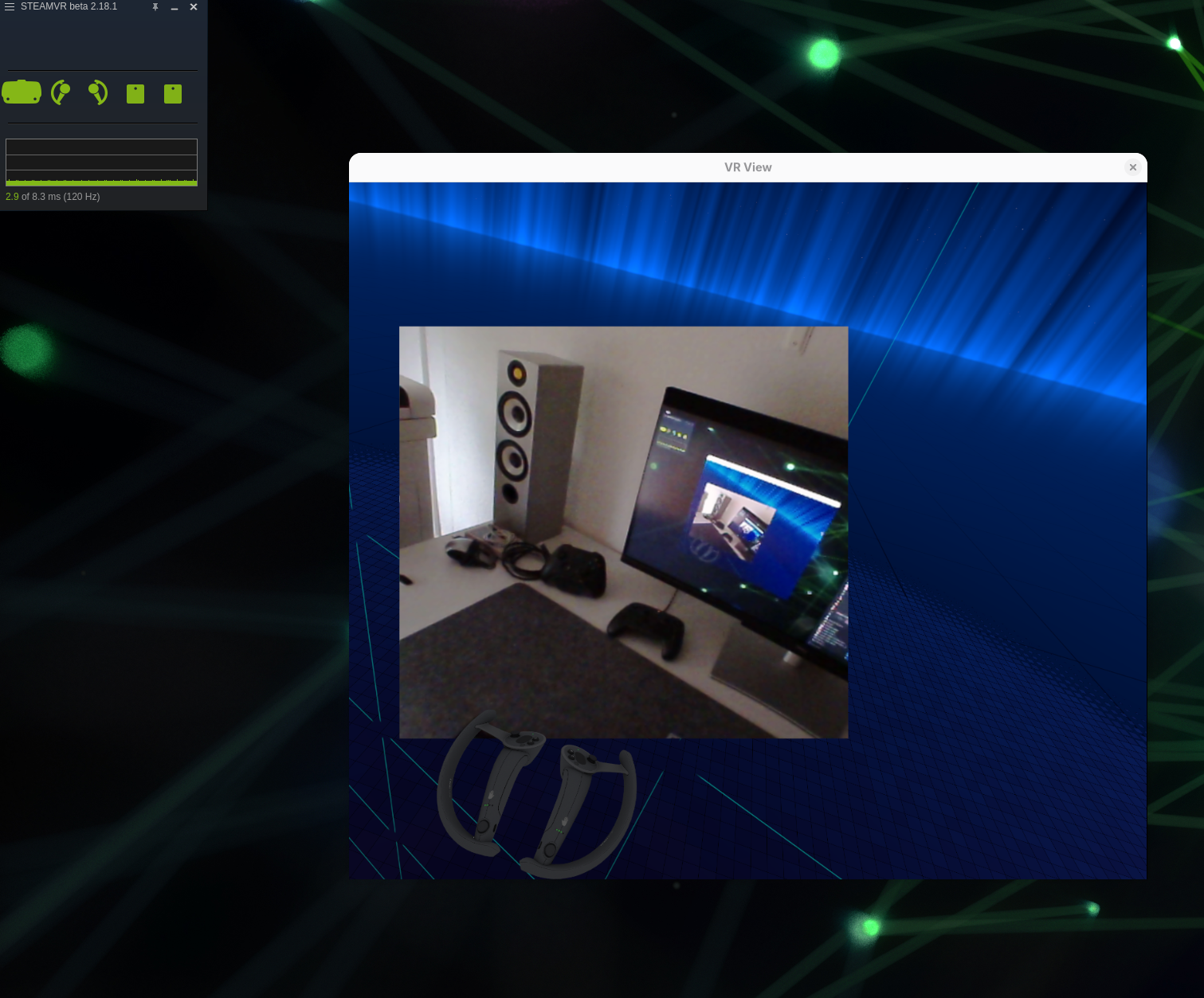
Basically you try to grab something in VR or in the camera feed and the position of the objects and the focus of your eyes match. As you can see from the picture, the rendered Knuckle controllers match with the camera feed, without refocusing your sight.
The camera resolution is very poor, so in the configuration file, there are options for creating a persistent window when you’re triggering the overlay, use a flat surface instead of the sum of the cameras with matching depth, etc.
Compared to the original software, this fork provides the following, in simple terms:
Proper depth for the Stereo window
- When using both cameras, as you can see from the pictures, the depth is the same of your VR space, so no more crossing the eyes to look at the VR space or the out of context camera feed.
- The depth estimation is now done in OpenCV.
Camera calibration is taken into consideration
- The camera details for the headset, as saved by SteamVR, is used into calculations for depth perceptions and deformations. Hardware settings (they point about 4.4° outward and 1.5° down) but also the camera calibration settings are taken into consideration.
- It has command line options to rectify and apply transformations on the command line from catpured camera frames on the fly.
Deformation compensation for flat feed
- When creating a flat surface, from one of the cameras, with a higher resolution than the Stereo one, there is deformation compensation so the feed looks like it’s coming from the front of the headset and not from the position of one of the two cameras.
- If you plan to leave a static frame in a fixed position in your VR space, I think the flat option is a better experience than the Stereo one.
Proper registration with a manifest in SteamVR
- After the first manual start, the overlay is registered in SteamVR and is started automatically when you start SteamVR.
Binary is compiled with both OpenVR and OpenXR
- You can use the same overlay in SteamVR or Monado (which is already packaged in Fedora). The OpenXR runtime in SteamVR lacks the XR_EXTX_overlay extension so the binary must be compiled with both backends. It defaults to
openvr. - It also allows compilation by generating the headers from OpenVR for whatever version is available at the time of building, including the very latest releasaes.
- All the image transformations are GPU bound
- Make it possible to run the overaly on NVIDIA drivers and has fixes for AMD platforms as well.